Some weeks start with a plan. Others start with a scramble: no groceries, no idea what’s for dinner, a calendar you haven’t looked at, and a fridge that needs attention. The difference between the two is often one focused hour or two before the week begins.
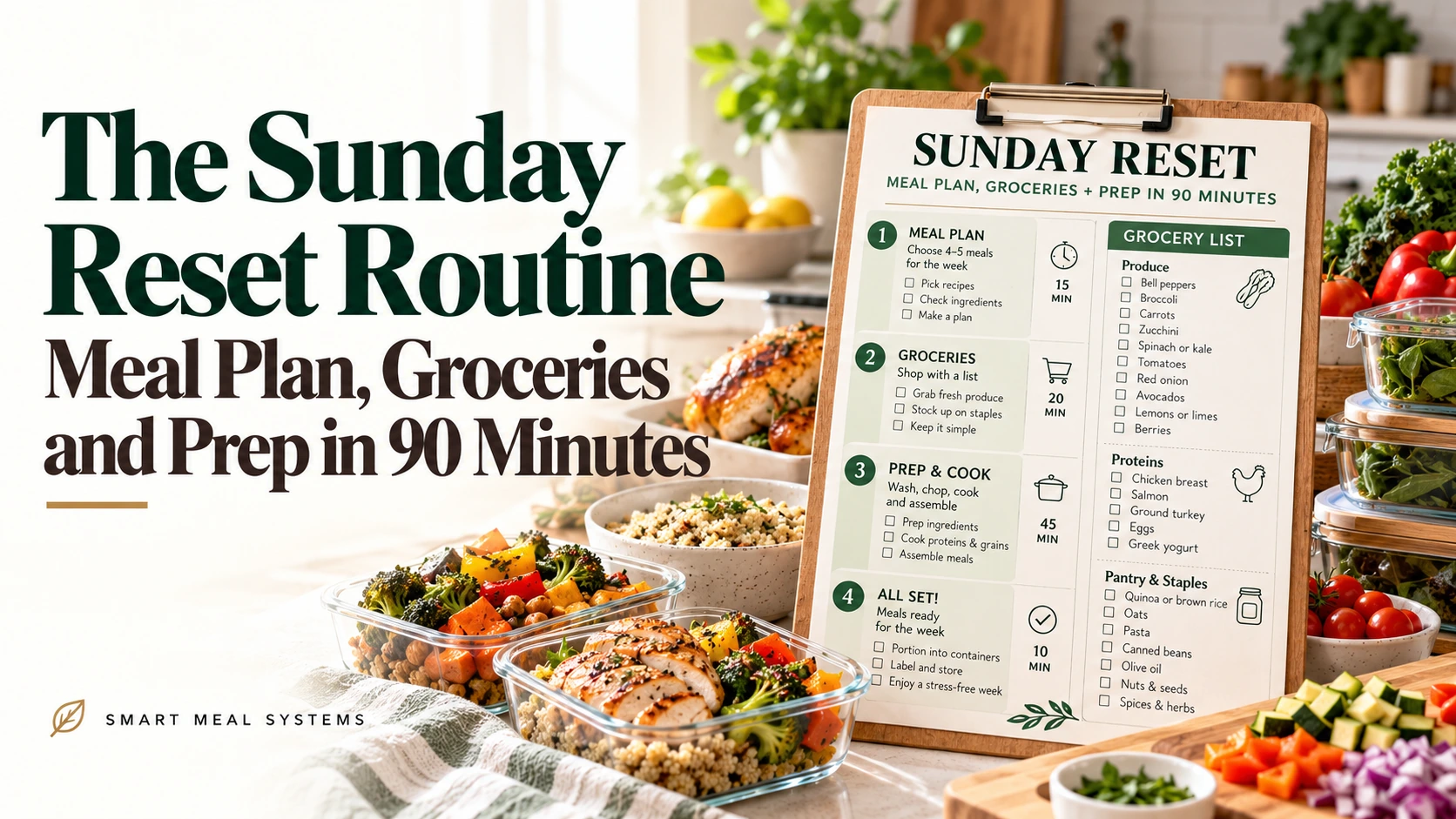
A Sunday reset is a short, repeatable routine that handles the whole system at once: look at the week, plan the meals, make the list, shop, and prep a few things ahead. This version takes about 90 minutes, including the store.
It doesn’t have to be Sunday. Use whichever day sits just before your busiest stretch.
The 90-minute outline
| Time | Task | Purpose |
|---|---|---|
| 0 to 10 min | Look at the week | Know what’s coming |
| 10 to 20 min | Fridge, freezer, pantry check | Know what you have |
| 20 to 30 min | Plan meals | Decide dinners |
| 30 to 35 min | Make the grocery list | Buy only what’s needed |
| 35 to 65 min | Shop (or place a pickup order) | Get the food |
| 65 to 90 min | Prep | Make the week easier |
Adjust the times to your pace. Shopping may take longer or shorter, depending on whether you go in person.
Step 1: Look at the week (10 minutes)
Open your calendar and check each day.
- Mark busy evenings, late nights, and activities.
- Note any meals you won’t be home for.
- Flag days with a lot of energy or time, which are good for cooking.
- Write down any events that affect food: a school party, a guest, a trip.
This tells you how many dinners you really need and which nights need the easiest meals.
Step 2: Check the fridge, freezer, and pantry (10 minutes)
Before planning, see what you have.
- Pull forward items nearing their dates.
- Toss what’s gone.
- Note what needs using up this week.
- Check low staples.
How to Stop Wasting Groceries: The 10-Minute Fridge-Check Routine has a full step-by-step version.
Step 3: Plan the meals (10 minutes)
Match the meals to the week you just mapped.
- Busy nights: freezer meals, sheet-pan dinners, slow cooker, or assembly meals.
- Free nights: something that takes more time.
- Leftover night: build one in.
- Use-it-up meals early in the week.
If you’re stuck, pull from your list of defaults. 10 Default Dinners You Can Repeat Forever can help, as can your rotation if you use one. Write the plan where you’ll see it.
Step 4: Make the grocery list (5 minutes)
Go meal by meal and list only what’s missing. Group the list by store section. Add your staples line.
The free Grocery List Generator can sort it for you, and How to Build a Grocery List That Follows Your Store Layout explains the method.
Step 5: Shop (30 minutes)
Go with your list. If you can, shop at a quieter time, and eat first.
If you use grocery pickup or delivery, place the order now so it arrives before the week starts. Many stores let you save a recurring list.
Step 6: Prep (25 minutes)
This is the part that makes weeknights easier. You don’t need to cook everything. Choose a few high-value tasks.
Pick three or four:
- Wash and chop vegetables you’ll use twice
- Cook a pot of rice, pasta, or grains
- Cook a protein, such as shredded chicken or ground meat
- Make a sauce or dressing
- Portion snacks
- Prepare breakfast items, like egg muffins or overnight oats
- Thaw tomorrow’s freezer meal
- Start something in the slow cooker for tomorrow
The Sunday Prep Hour shows a fuller version aimed at school weeks, and How to Batch Cook: The Complete Guide goes deeper on cooking in bulk.
A sample Sunday
Here’s what the routine might look like in practice.
2:00 p.m. Check the calendar. Tuesday has practice until 6:30. Thursday is free. Friday is a pizza night. 2:10 Fridge check. Spinach is wilting, chicken needs using, there’s half a bag of rice. 2:20 Plan: Monday chicken and rice bowls (uses chicken and spinach), Tuesday slow-cooker chili, Wednesday leftover chili on potatoes, Thursday pasta with sauce, Friday pizza. 2:30 List: chili ingredients, pasta, pizza dough, cheese, salad, fruit. 2:35 Shop. 3:05 Put away groceries. 3:15 Prep: chop onions and peppers for chili, cook a pot of rice, wash salad greens, portion snacks, set the slow cooker. 3:40 Done.
Make the routine stick
- Pick a fixed time and put it on your calendar.
- Pair it with something pleasant, like music, a podcast, or a favorite drink.
- Keep supplies ready: containers, labels, and a list template.
- Start small. Even a 45-minute version helps.
- Involve others. Kids can wash produce and partners can chop or shop.
- Skip perfection. Do what you can.
Adjusting the routine
If you have only 45 minutes. Do the calendar check, plan, list, and order groceries. Skip the prep.
If you shop online. Replace the 30-minute shop with a 10-minute order. Use the time for prep.
If you have a bigger household. Add a second prep task, and involve everyone.
If you work a nontraditional schedule. Use the day before your first shift. See The Night-Shift and Rotating-Schedule Meal System.
If you live alone. Cook a double batch and freeze portions. Meal Planning for One has more.
Common mistakes
Skipping the fridge check. You’ll buy things you already have.
Planning too many cooking nights. Aim for realistic.
Prepping too much. A few tasks done well are better than a marathon.
Not planning leftovers. Put them in the plan.
Giving up after one skipped Sunday. Just do a short version next time.
Your first reset
- Block 90 minutes on your calendar.
- Follow the six steps in order.
- Write down what went well and what didn’t.
- Change one thing next week.
Make this easier
Speed up the planning step with the free Dinner Rotation Builder, then move straight to the grocery list.
A Sunday reset turns a week of small decisions into one planned session. It takes about an hour and a half, and it gives the rest of the week back to you.
Turn the idea into a system.
Keep Reading