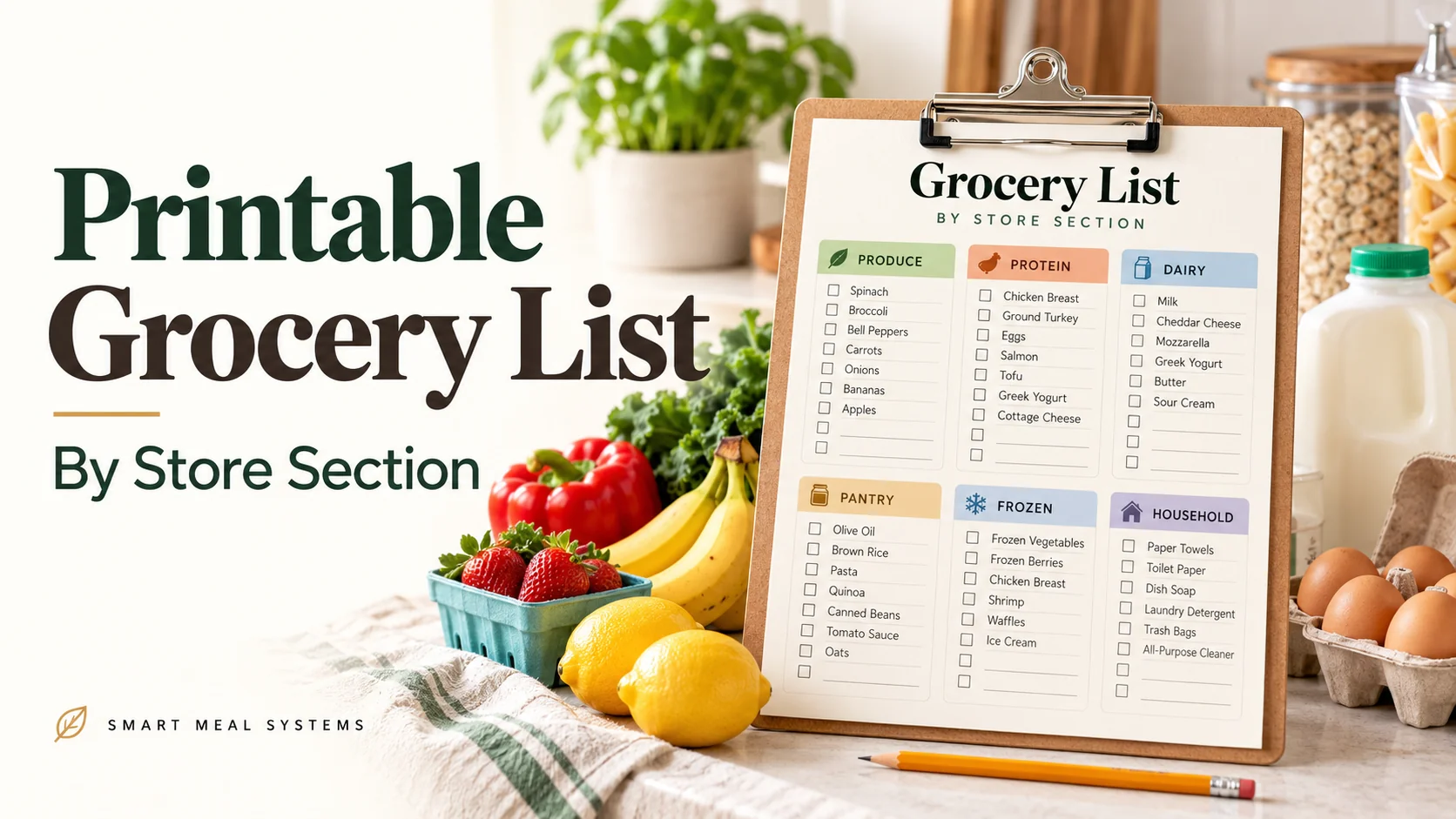
A grocery list is only as useful as the order it is written in. Scribbled on the back of an envelope in the order you thought of things, it sends you back and forth across the store. Grouped by section, it takes you through once.
This free printable is built around that idea. It has room for your week’s dinners at the top, twelve store sections below, a staples check, and a small budget line at the end so you can see how the trip compared with your plan.
Get the printable
Open the Weekly Grocery List by Store Section →
Two pages. Use the Print / Save as PDF button on the page.
What’s on the sheet
Page 1
- A header with the week, store and budget
- A seven-day box for your planned dinners, so the list comes from the plan
- Produce, meat and fish, dairy and eggs, bakery and deli, canned and jarred, and pasta, rice and grains
Page 2
- Baking and spices, breakfast and snacks, frozen, beverages, household, and an “already have” box
- A staples check for the things you always run out of
- A post-trip box for total spent, budget, and one thing to change next week
How to use it
1. Fill in the dinners first
Write the week’s dinners in the box at the top before anything else. This keeps the list tied to the plan, and it is much harder to buy random food when the plan is staring at you.
2. Check what you already have
Look in the fridge, freezer and pantry before you write a single item. If something is already in the kitchen, put it in the “already have” box so you do not buy it twice. How to Plan Your Grocery List Around What’s Already in Your Kitchen explains the check in detail.
3. Write only what is missing
Go meal by meal and list what the plan needs, in the section where it lives. Use quantities: “chicken thighs, 2 lb” is better than “chicken.”
4. Reorder the sections to match your store
The sections are in a common order, but your store may differ. Number them in the order you walk. If you shop at two stores, print two copies. How to Build a Grocery List That Follows Your Store Layout shows how to map your route.
5. Cross off as you go
Shop section by section. Pick up cold and frozen items last so they stay cold.
6. Fill in the bottom box
After the trip, write what you spent and the budget. If you were over, note one thing to change. This takes a minute and gives you a month of data without a spreadsheet. How to Build a Grocery Budget From Scratch covers what to do with it.
Tips for getting the most from it
- Print a month of copies at once and keep them in a folder near the fridge.
- Keep one master list of items you buy often, and copy from it. A repeating rotation makes this faster; see One Grocery List, Two Weeks of Dinners.
- Photograph the filled-in list with your phone so you always have it with you.
- Let someone else shop from it. A clear list means a partner or older child can do the trip.
- Do not add “just in case” items. If it is not part of the plan or the staples check, leave it.
Prefer a digital version?
If you would rather not write the list by hand, the free Grocery List Generator sorts your items by category and can be printed or saved. The paper version is for people who like to cross things off.
Pair it with the rest of the system
A grocery list is one part of a weekly routine. Start with How to Meal Plan for the Week, and see The Complete Guide to Meal Planning Printables if you want to know which other pages are worth printing.
Make this easier
Build the dinners that feed this list with the free Dinner Rotation Builder, then write the list from the plan.
Turn the idea into a system.
Keep Reading