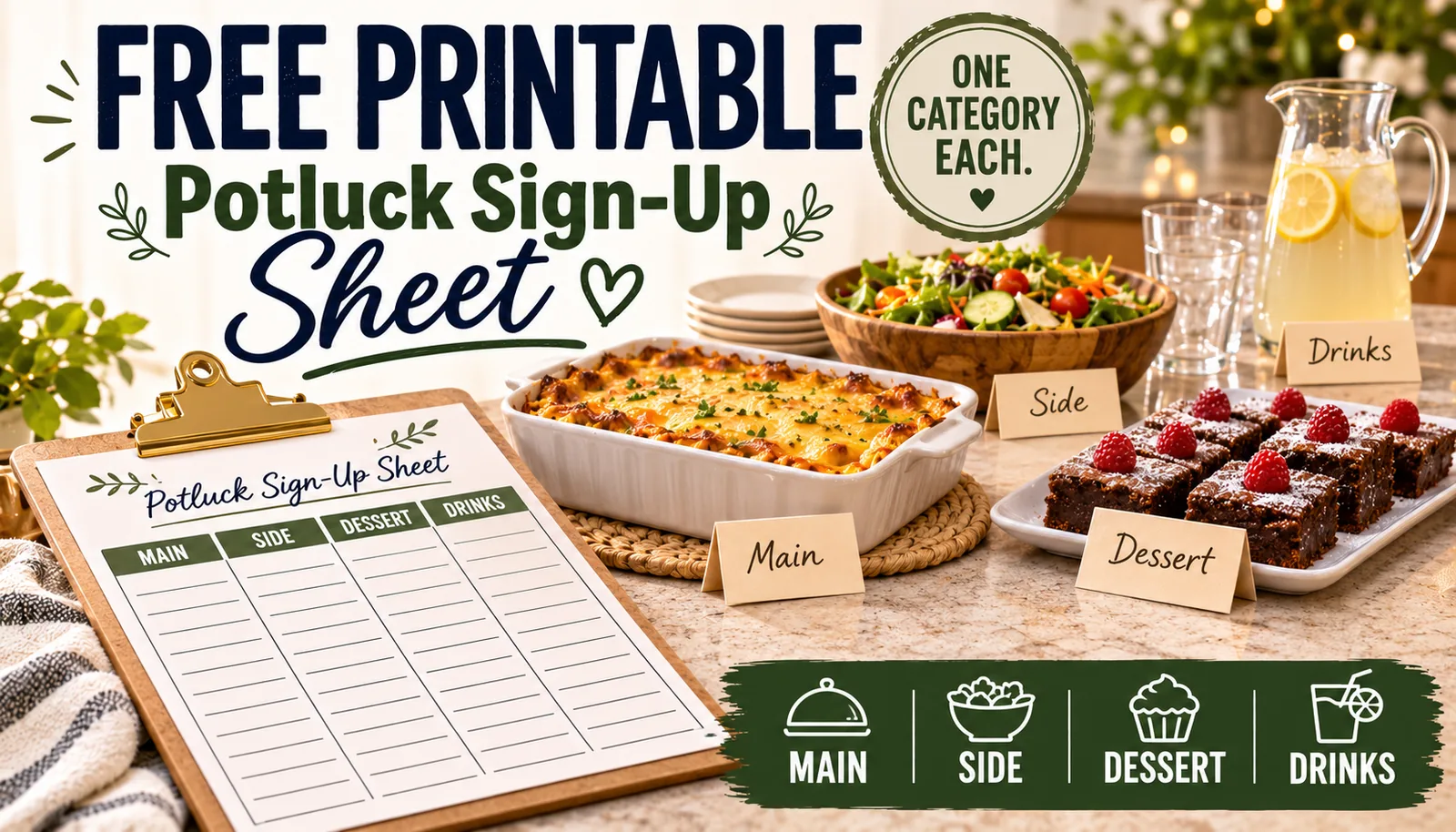
“Bring whatever you want” is how a potluck ends up with four desserts and no vegetables. The fix is not a longer group text — it’s assigning categories, not dishes, so nobody has to guess what is already covered. This free printable does that on one page, with a second page to track what is still needed.
Get the printable
Open the Potluck Sign-Up Sheet →
Two pages. Use the Print / Save as PDF button on the page.
What’s on the sheet
Page 1: the sign-up
- An event info box: what, when, where, host contact and RSVP date
- A quick guide for how many of each category to ask for, by guest count
- A sign-up grid: name, category, dish, serves how many, dietary notes
Page 2: still needed
- A tracker to cross off each category as it fills up
- Ideas by category, so a stuck guest has somewhere to start
- A dietary and allergy box, filled in as replies come in
How to use it
1. Fill in the event info first
Write the date, time, location and an RSVP-by date. Giving people a deadline, not just an open invitation, is what gets a sign-up sheet filled instead of ignored.
2. Work out how many of each category you need
A rough rule: about one dish for every 3 guests, split roughly 20% mains, 40% sides, 10% bread, 20% dessert, 10% drinks. For a Thanksgiving-specific version of this math with a built-in calculator, see the Friendsgiving Potluck Planner.
| Guests | Mains | Sides | Bread | Dessert | Drinks |
|---|---|---|---|---|---|
| 8 | 1 | 1 | 1 | 1 | 1 |
| 12 | 1 | 2 | 1 | 1 | 1 |
| 20 | 1 | 3 | 1 | 2 | 1 |
3. Assign the category, not the dish
When you send the sheet around, ask each guest to sign up for a category (“can you bring a side?”), not a specific recipe. That leaves room for what they actually like to cook, and two people picking the same category is fine — it’s covered by the count.
4. Track what’s still needed
As replies come in, cross off categories on page 2. A category still empty a week out is the one to follow up on directly, instead of resending the whole sheet to everyone.
5. Collect dietary notes as you go
Write allergies and dietary needs in the notes column as people reply, not all at once at the end. By the day of, you will know if at least one dish on the table works for everyone eating from it.
A filled-in example
This is what the sign-up grid looks like partway through, for a 12-guest potluck:
| Name | Category | Dish | Serves | Notes |
|---|---|---|---|---|
| Dana | Main | Baked ziti | 6 | — |
| Priya | Side | Roasted vegetables | 8 | Vegan |
| Sam | Dessert | Brownies | 10 | Contains nuts |
| — | Drinks | — | — | Still needed |
Adapting it
- A church or community potluck: add a column for “returns dish?” since borrowed serving dishes are common at larger events.
- A kids’ event: add a “nut-free” checkbox at the top, since school and daycare potlucks often need it site-wide, not per dish.
- A smaller gathering (6 or fewer): skip the category split and just list names and dishes — the category system earns its keep once there are more than about 8 guests.
More potluck and group-meal reading
For a full Thanksgiving-specific system with a guest-count calculator, see the Friendsgiving Potluck Planner. If you are coordinating meals for a family going through a hard stretch rather than a party, the printable Meal Train Sign-Up Sheet uses the same category-not-dish idea for dated meal drop-offs.
Make this easier
For a crowd-sized party rather than a potluck, the free Party Food Calculator works out exact quantities to buy or cook yourself.
Turn the idea into a system.
Keep Reading